
Calories made simple. See the trend, not just the day.
CaloriesIO shows your calories in, calories out and net, and whether you are ahead or behind this week. Have a bigger day, balance it with a lighter one. It's the trend that counts.
Download links will appear here when the apps are published.
Simple by design
Just the numbers that matter: calories in, calories out and net. Carefully curated, glanceable information when you need it.
Flexible by nature
Eat in a way that suits you and move how you want. Flex calories in and out from day to day. It's the weekly trend that counts.
Net is the key
Calories in minus calories out is what drives your weight. See it by day, week, month or year, and know if you are ahead or behind.
Works wherever you are
On your phone, your tablet or your watch, so the numbers are always close at hand.
Everything you need, nothing you don't
A calm, quick-to-read dashboard for people who already track their food and activity somewhere else.
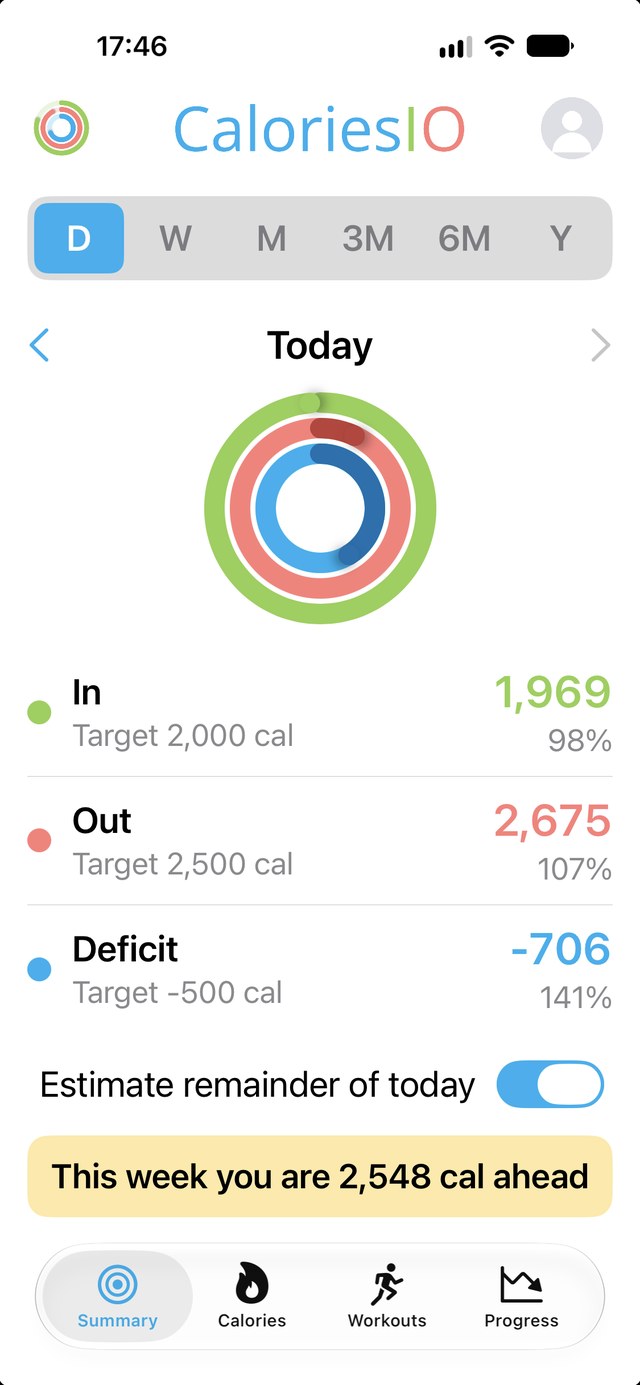
Three rings, one glance
Calories in, out and net for the day, each against your own target.
This week: ahead or behind
Adds up how far each day since Monday is from your daily target, so one bad day doesn't hide the bigger picture.
Any period you like
Switch between day, week, month, 3 months, 6 months and a year, with averages that make trends easy to see.
Today's projection
An optional estimate of how today will finish, based on your average resting calories from recent days.
Workouts
See how your sessions contribute to what you burn.
Progress
Weight and body fat over time, how much you have lost in the period, and how far you have to go to your goal.
See it in action
The Summary screen shows your day, week or year on one screen, with no scrolling.
- Calories in against your daily target.
- Calories out, resting and active together.
- Net, your deficit or surplus, against its target.
- This week, how far ahead or behind you are since Monday.
Screenshot from an iPhone with sample data.
Calories, workouts and progress
Go deeper whenever you like. Every screen uses the same day, week, month and year buttons.
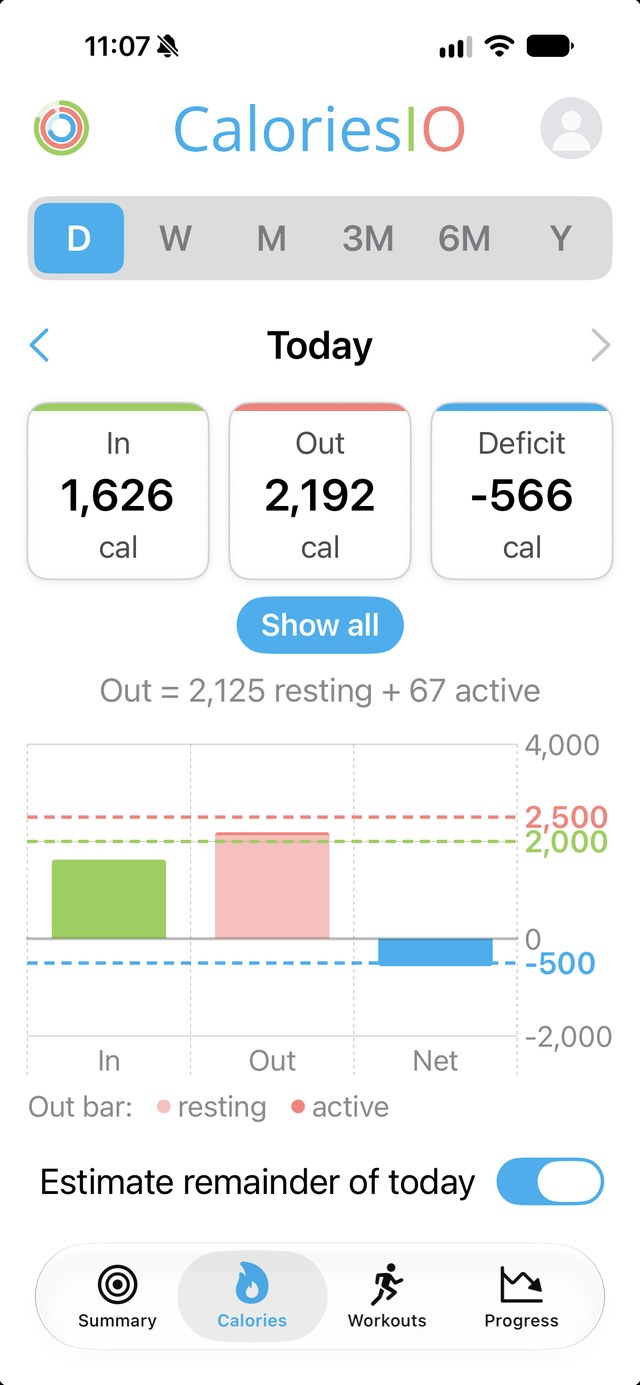
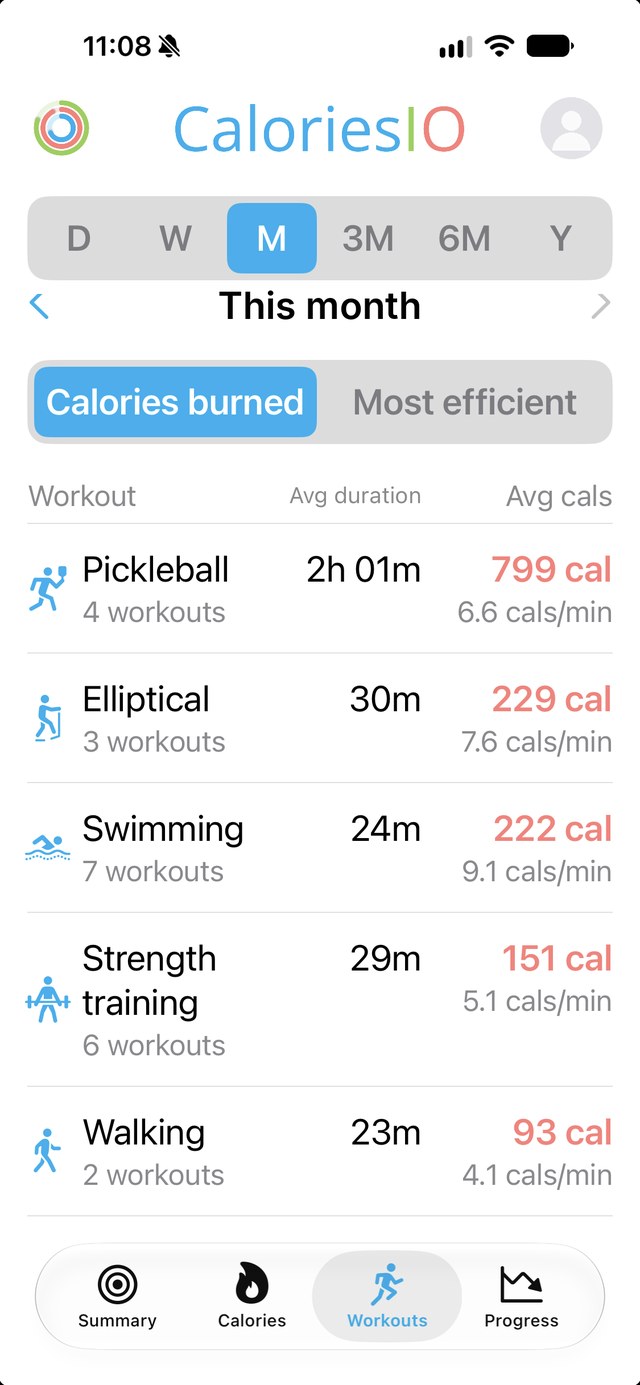
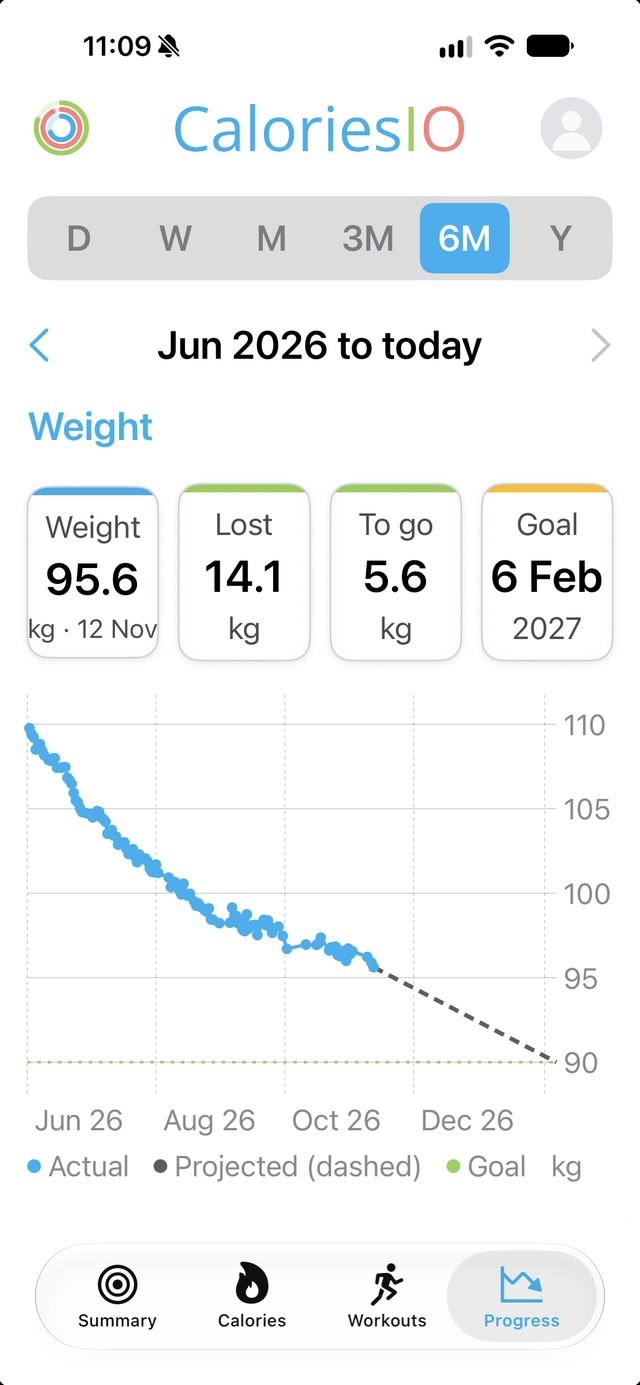
Screenshots from an iPhone with sample data.
Made for iPad too
On a tablet the navigation moves to the top and the numbers get room to breathe.
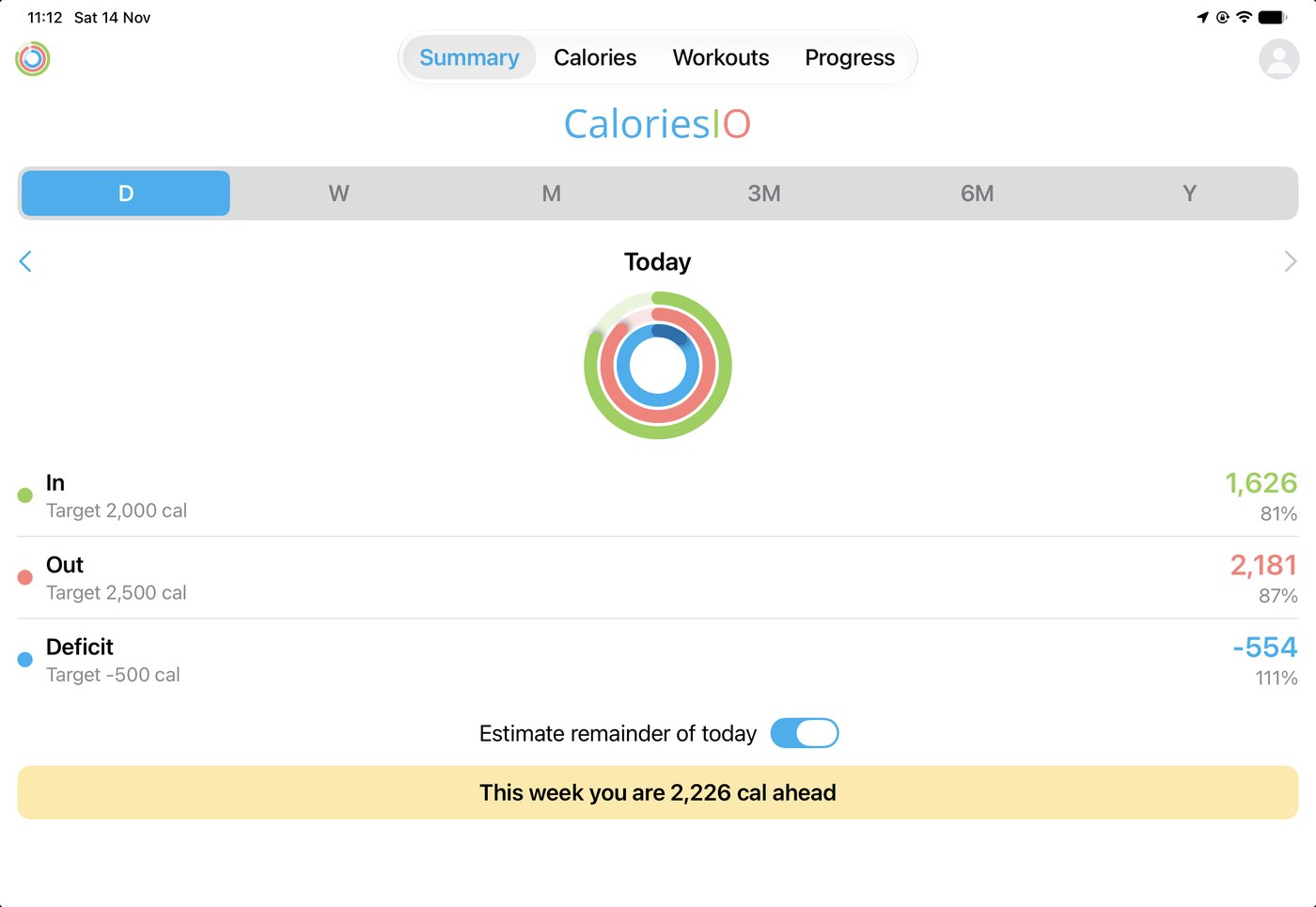
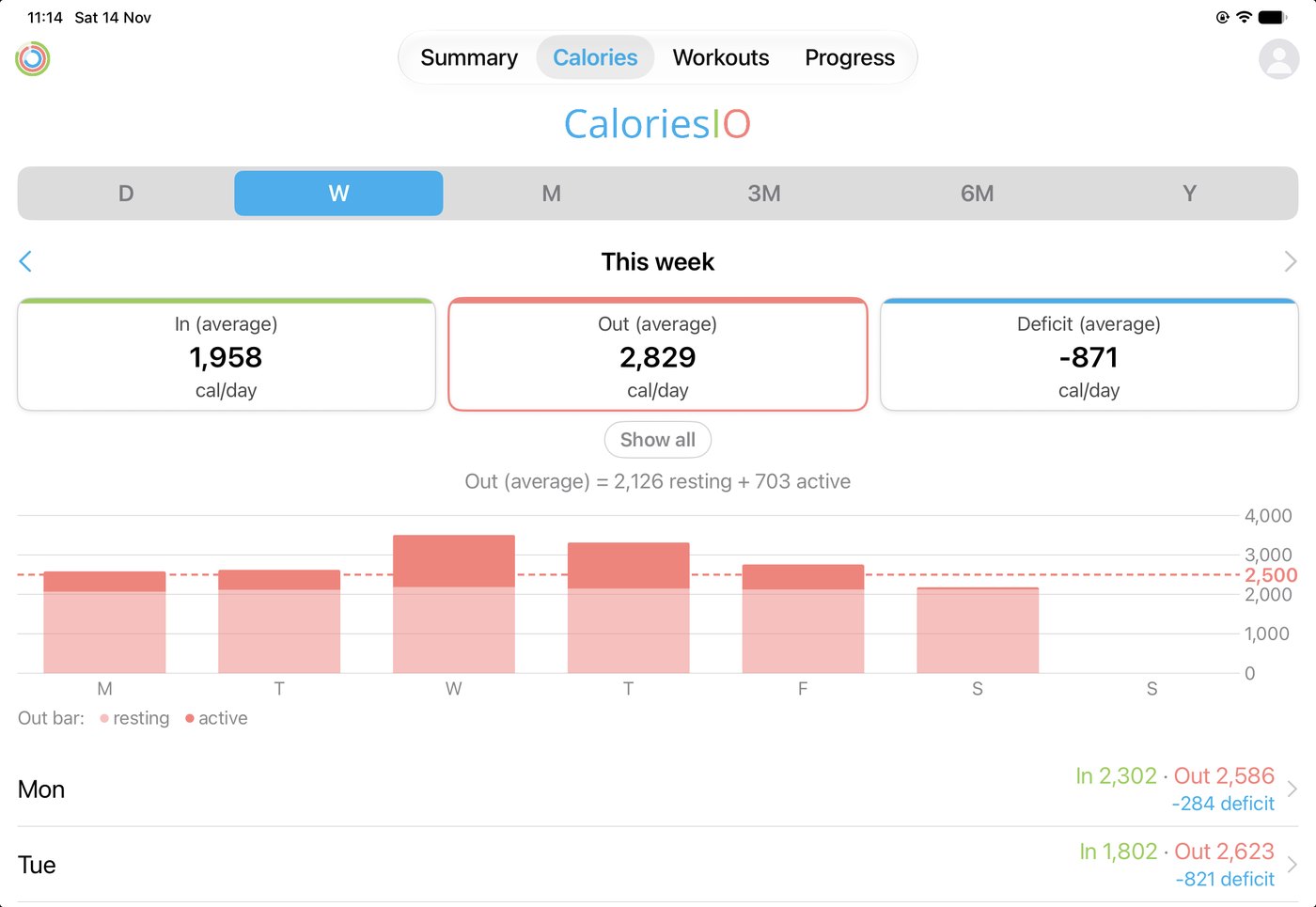
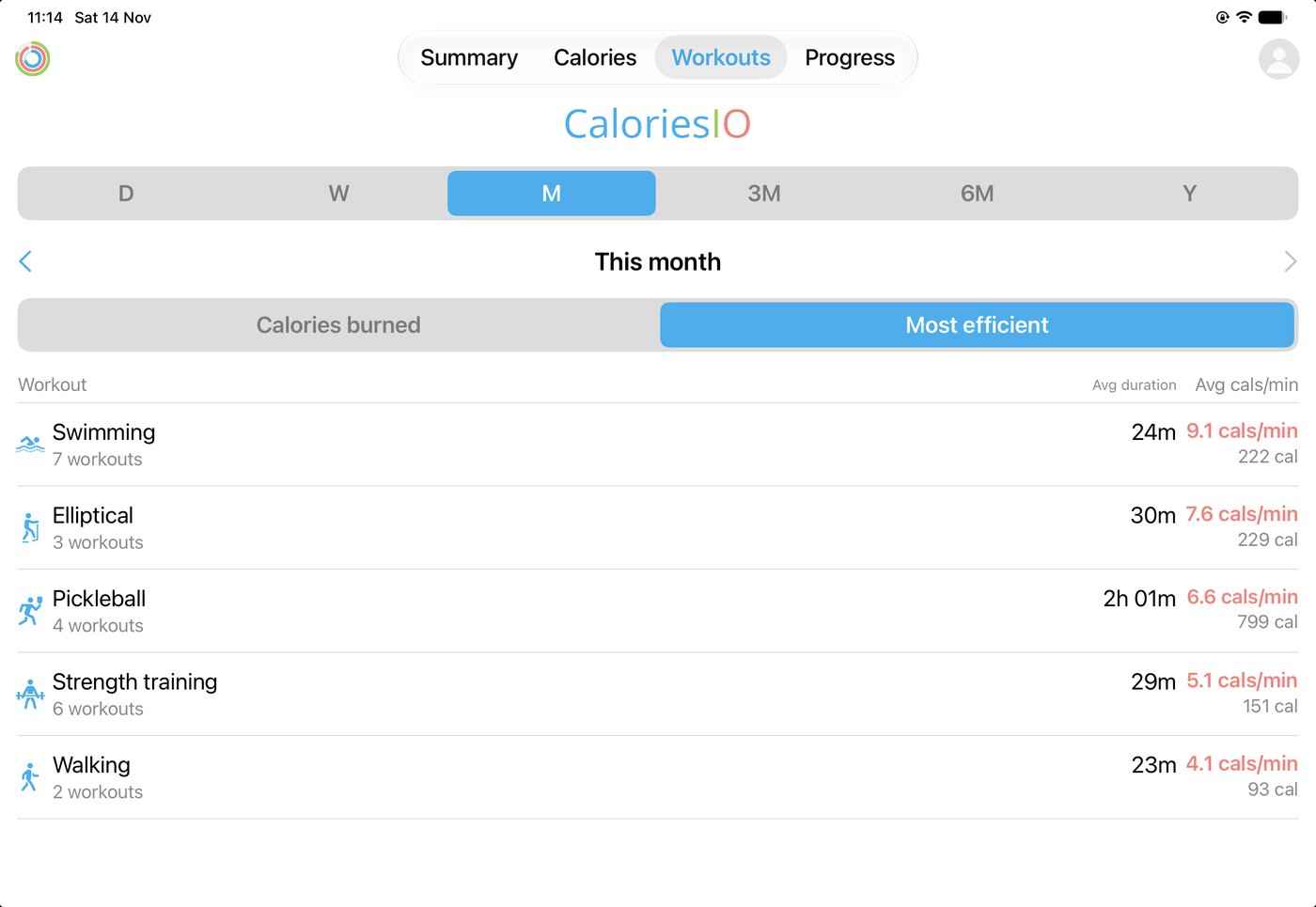
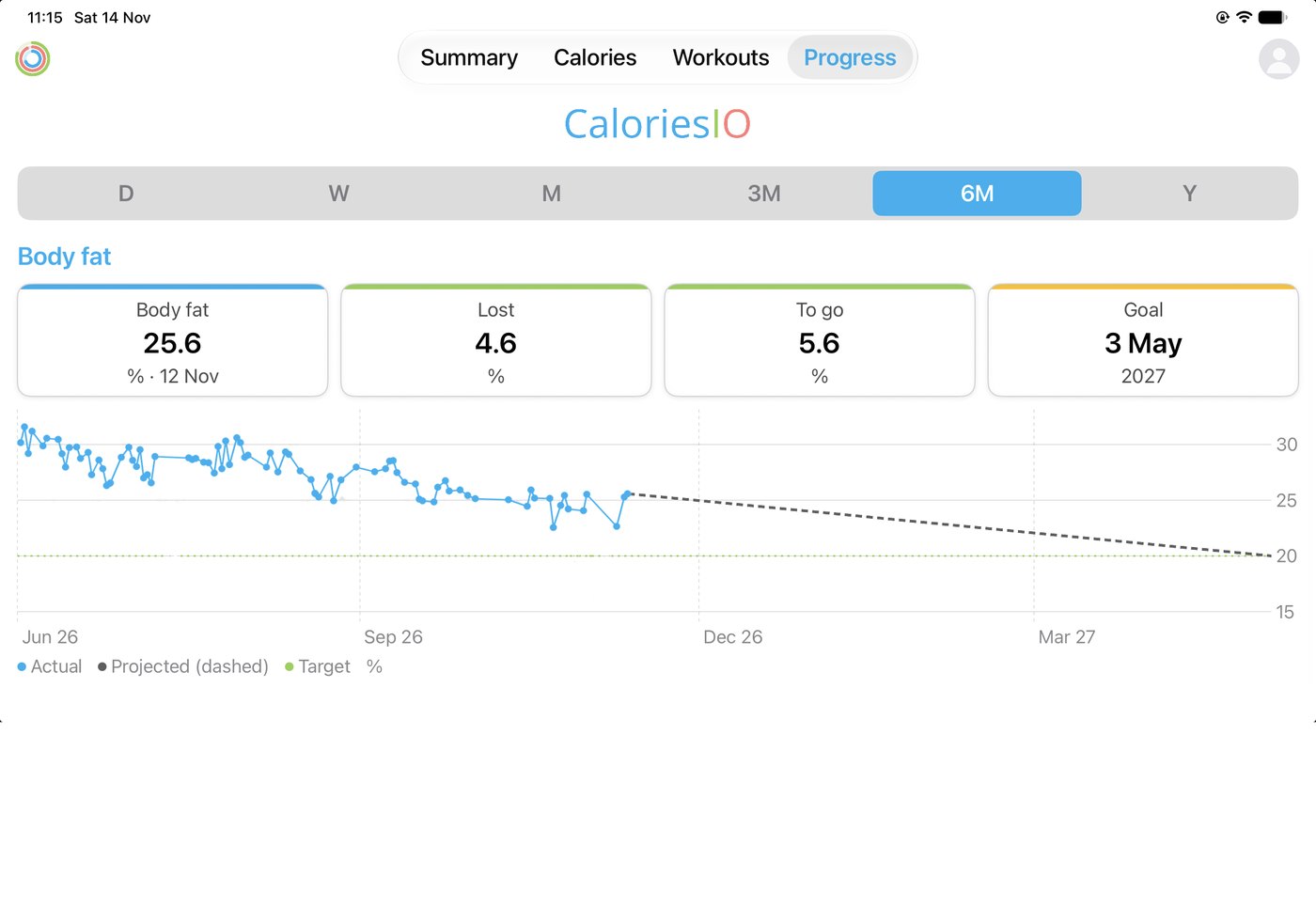
Screenshots from an iPad with sample data.
How it works
CaloriesIO doesn't ask you to log meals again. It reads what your existing apps and devices have already recorded.
Connect your health data
Allow access to Apple Health on iPhone or Health Connect on Android. You choose what to share.
Set your targets
Enter your daily calorie targets and, if you like, a goal weight and date.
See where you stand
Open the app, glance at your watch or add a widget to your home screen.
On your wrist and home screen
An Apple Watch app and a Wear OS app show your rings and whether you are ahead or behind, and widgets put the numbers on your home screen. Your phone and watch share data directly with each other, on your own devices.
Questions
Does CaloriesIO log my food?
No. It reads food and activity data from Apple Health or Health Connect, which most calorie counters, fitness trackers and watches can write to. Keep using the food app you like; CaloriesIO shows the bigger picture.
Where is my data stored?
On your devices. We don't have accounts and we don't receive your health data. Read the privacy policy for the details.
Which devices does it work on?
iPhone with Apple Watch, and Android phones with Wear OS watches.
Is it medical advice?
No. CaloriesIO is an information tool and does not give medical advice. Talk to a doctor or registered dietitian before making big changes to your diet or exercise.
How do I get in touch?
Email support@caloriesio.app.